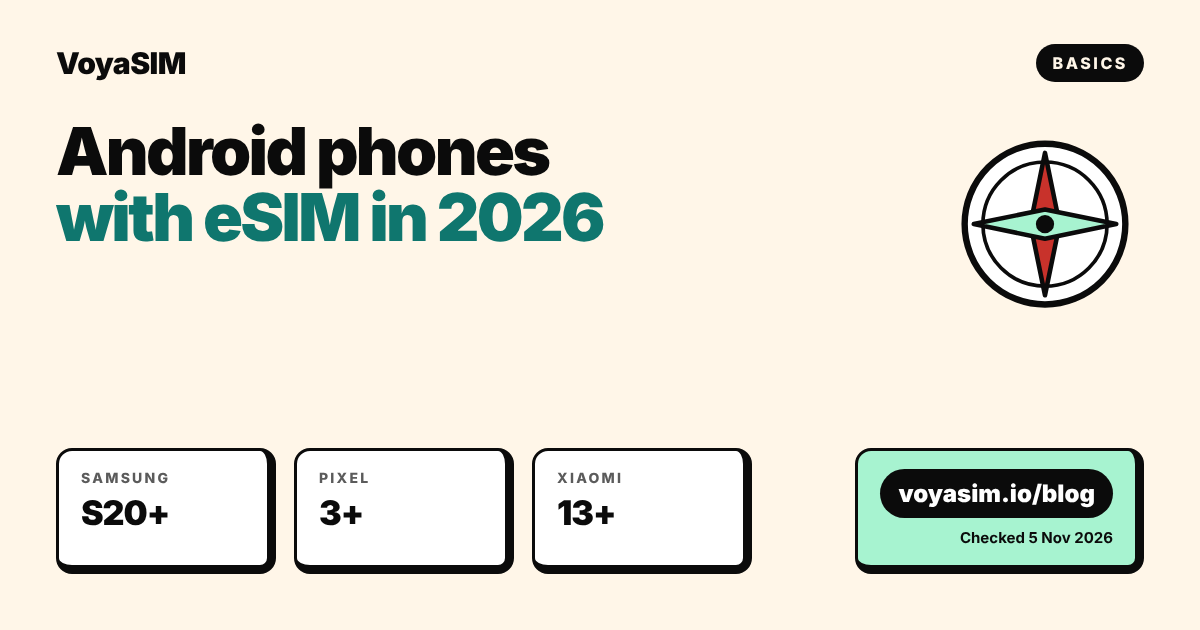
Every Samsung Galaxy S from the S20 on, every Galaxy Z foldable, the S23 FE and newer FE models, and a short list of A-series phones support eSIM. Google Pixel 3 and newer support it, and the US Pixel 10, 10 Pro and 10 Pro XL are eSIM-only. Global Xiaomi 13 and newer, recent Redmi Note Pro 5G models, and the OnePlus 12 and 13 support it too. Where you bought the phone matters as much as the model.
The 2026 list of Android phones with eSIM
Most Android flagships sold since 2020 support eSIM, but mid-range phones are hit and miss. The table below comes from each manufacturer's own support or spec page, checked on 5 November 2026. A phone on this list can still lack eSIM if it was built for a market that does not use it, so read the "where you bought it" section before you buy a plan.
| Brand | Supports eSIM | Does not, or only in some regions |
|---|---|---|
| Samsung Galaxy S | S20, S21, S22, S23, S24, S25, S26 (all sizes, including S25 Edge) | S10 and older |
| Samsung Galaxy FE | S23 FE, S24 FE, S25 FE, S26 FE | S20 FE and S21 FE are not on Samsung's list |
| Samsung Galaxy Z | Fold, Z Flip, Z Flip 5G, Z Fold2, Fold3/Flip3, Fold4/Flip4, Fold5/Flip5, Fold6/Flip6, Fold7/Flip7/Flip7 FE, Z TriFold, Fold8/Fold8 Ultra/Flip8 | None |
| Samsung Galaxy Note | Note20, Note20 Ultra (listed by Samsung Australia) | Note10 and older |
| Samsung Galaxy A | A57, A56, A55, A54 (A54 only in Europe, North America, Korea, Japan) | A37, A36, A35: Europe, North America, Korea only. A27, A26, A17 5G, A16 5G: North America only. A25 5G, A23 5G: Japan only |
| Samsung XCover | XCover7, XCover7 Pro | XCover6 Pro: North America only |
| Google Pixel | Pixel 3 and every later model | US Pixel 10, 10 Pro, 10 Pro XL: eSIM only, no SIM tray |
| Xiaomi | Xiaomi 13, 14, 14T, 14T Pro, 15, 15T, 15T Pro, 15 Ultra, 17, 17 Ultra (global versions) | Most Redmi and POCO phones, and Chinese versions |
| Redmi | Redmi Note 14 Pro 5G, Redmi Note 15 Pro 5G (global) | Most other Redmi models |
| OnePlus | OnePlus 12, OnePlus 13 (global) | OnePlus 13R: dual nano-SIM only |
Two short rules cover most of what the table says. On Samsung, every S and Z phone from 2020 on has eSIM, and the A series depends on where it was sold. On Pixel, everything from the Pixel 3 on has it.
How Android eSIM support works
An eSIM is a small chip soldered to the phone's board that can hold several downloadable SIM profiles. Whether a phone has one is decided at the factory, per model and per regional variant, so a software update cannot add it later.
That is why the same model name can behave differently. Samsung says it plainly on its support page: "Depending on the country of origin, eSIM may not be supported even if your device is listed above." Xiaomi's spec pages carry a similar note: eSIM availability "may vary depending on country/region and carrier."
Most eSIM phones are also dual-SIM phones. Google says every Pixel from the 3a on can run one physical SIM and one eSIM at the same time, and the Pixel 7 and later can run two eSIM profiles at once. Xiaomi's newer flagships, such as the Xiaomi 15, 15T and 17, list "eSIM + eSIM" as a supported pairing. For travel this matters more than it sounds: you keep your home line active for calls and bank texts while the travel eSIM carries the data.
The Pixel 10 series is the first mainstream Android line to drop the SIM tray in one market. Google's help page says that in the US, the Pixel 10, Pixel 10 Pro and Pixel 10 Pro XL "don't use physical SIMs, and are eSIM-only." The Pixel 10 Pro Fold keeps its tray. Outside the US, the same models still take a physical SIM.
How to check your own phone, step by step
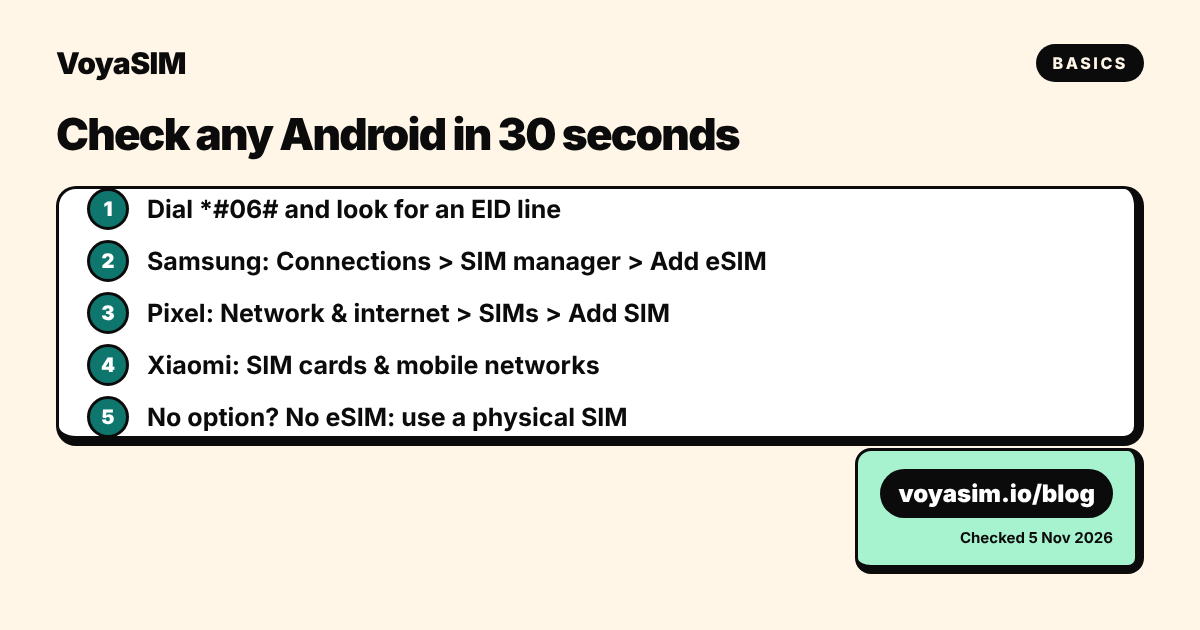
The fastest test works on every Android phone: open the phone app and dial *#06#. If a line labeled EID appears, with a 32-digit number, the phone has an eSIM chip. If you see only IMEI numbers, it does not.
Then confirm the option is switched on in Settings. The menu names differ by brand:
| Phone | Where to look |
|---|---|
| Samsung Galaxy | Settings > Connections > SIM manager > Add eSIM |
| Google Pixel | Settings > Network & internet > SIMs > Add SIM > Set up an eSIM |
| Xiaomi and Redmi (HyperOS) | Settings > SIM cards & mobile networks, then look for an eSIM entry |
| OnePlus (OxygenOS) | Settings > Mobile network, then look for an eSIM entry |
The Samsung and Google paths are taken from their own support pages. Xiaomi and OnePlus do not publish a single support page with the exact menu path for every software version, so the names above are the menu headings to look under; the eSIM entry sits inside them.
If you find the option, you are ready to install a travel eSIM; the install guide linked at the end of this article covers the scan, the data-SIM choice and the roaming switch. If you want a shorter version that covers iPhones too, see is my phone eSIM compatible.
Once the travel eSIM is installed, two settings decide whether it works on arrival. First, set the travel line as the line for mobile data; on Samsung that is Settings > Connections > SIM manager, under Preferred SIM > Mobile data, and on Pixel you tap the travel line under Network & internet > SIMs and switch on Mobile data. Second, switch on data roaming for the travel line only. Leave roaming off on your home line, or your home carrier can charge you for any data the phone sends over it.
What this means for travel, in numbers: a phone with eSIM and a physical SIM can hold your home number and a travel data plan at the same time, so you change nothing about how people reach you. A Pixel 7 or later, or a recent Xiaomi flagship, can hold two eSIM profiles at once, which helps if your home line is already an eSIM. Most phones can store more profiles than they can run; Samsung, Google and Xiaomi do not publish one fixed number for every model, so delete old travel eSIMs only after a trip has ended and you no longer need the plan.
One more check: the phone must be unlocked. A phone bought on a carrier contract may refuse any other provider's SIM, eSIM included, even though the menu is there. Ask your carrier to unlock it a few days before the trip.
Edge cases: listed, but still no eSIM
When a phone is on a manufacturer's list but the option is missing, the cause is almost always one of five things.
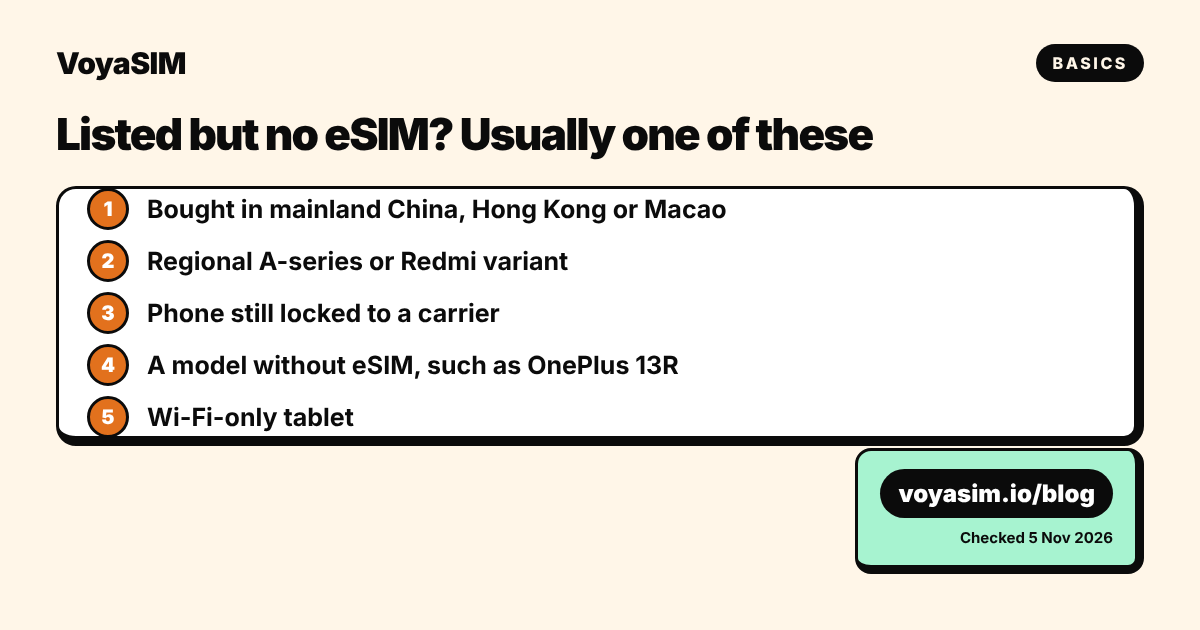
Bought in mainland China, Hong Kong or Macao. Many phones sold there are built without eSIM, or with it disabled. Xiaomi's global product pages describe eSIM on the global versions; we could not find an official Xiaomi page that confirms eSIM on Chinese-market versions, so treat those as unsupported unless *#06# shows an EID.
A regional A-series or Redmi variant. Samsung's A36 and A35 support eSIM in Europe, North America and Korea, but the same names sold in India or Southeast Asia may not. The A25 5G and A23 5G have eSIM only in their Japanese versions. If you bought a phone abroad or second-hand, check the model code in Settings > About phone and dial *#06#.
Carrier lock. The menu may appear, but the eSIM will install and then show "SIM not supported" or never register. Unlocking fixes it.
A model without eSIM. OnePlus's global spec page for the OnePlus 13R lists a "dual nano-SIM slot" and no eSIM, while the OnePlus 12 and 13 pages list eSIM. We could not read the OnePlus 15 specification on OnePlus's own site on the run date; independent spec databases list it with eSIM, but confirm on your phone before you buy.
A Wi-Fi-only tablet. Samsung notes that Wi-Fi-only tablets do not support eSIM. Only the cellular (5G or LTE) versions do.
A note on brands not in the table. Motorola, Oppo, Vivo, Honor, Nothing and Sony all sell some eSIM models, but we could not find a current, complete list on their own sites on the run date, and the third-party lists we read disagree with each other. For these brands, the *#06# test is more reliable than any list.
If your phone has no eSIM, you still have options abroad: a local physical SIM from the airport or a carrier shop, your home carrier's roaming pass, or a pocket Wi-Fi device. If it has eSIM but the plan will not connect on a Galaxy, our Samsung troubleshooting guide lists the fixes in order.
Staying online abroad
If your phone is on the list, a prepaid travel eSIM is the cheapest way to get data without roaming fees. For a European trip, the VoyaSIM Europe plan with 5 GB for 30 days costs $6.80 and works in 35 countries (see the plan); for a multi-continent trip, the Global plan with 3 GB for 30 days costs $22.80 across 117 countries (see the plan). Prices were checked on 5 November 2026.
Install the eSIM at home over Wi-Fi before your flight: validity starts only at the first connection to a network at your destination, so installing early does not use up any days. Then switch the line on when you land. All regional and country options are on the Europe eSIM page, and the Android install guide walks through the settings.
By the VoyaSIM support team — we answer these questions every day for travelers in 200+ countries. Last checked: 5 November 2026.
Frequently asked questions
which android phones support esim
Samsung Galaxy S20 and newer, all Galaxy Z foldables, Google Pixel 3 and newer, global Xiaomi 13 and newer, and the OnePlus 12 and 13. Check the exact model and the country you bought it in.
does samsung a series support esim
Only some models. Samsung lists the A57, A56, A55 and A54, while the A37, A36, A35 and others are limited to certain regions such as North America, Europe or Korea.
how do i know if my android phone supports esim
Dial *#06#. If an EID number appears, the phone has an eSIM. You can also look for "Add eSIM" in the SIM settings.
does oneplus support esim
The OnePlus 12 and 13 list eSIM on OnePlus's global spec pages. The OnePlus 13R lists a dual nano-SIM tray only, so it cannot use an eSIM.
is the pixel 10 esim only
In the US, yes. Google says the US Pixel 10, Pixel 10 Pro and Pixel 10 Pro XL have no SIM tray. The Pixel 10 Pro Fold keeps one.
Sources & methodology
Plan prices on this page come from the live VoyaSIM catalog. Every other figure was checked against the sources below as of November 6, 2026.
- Samsung UK, Galaxy eSIM and supported network carriers, read 5 Nov 2026
- Samsung Australia, Which Galaxy phones support an eSIM, read 5 Nov 2026
- Google Pixel Help, How to use dual SIMs on your Pixel phone, read 5 Nov 2026
- Google Pixel Help, Learn more about eSIMs, read 5 Nov 2026
- Xiaomi Global, Xiaomi 15 specifications, read 5 Nov 2026
- Xiaomi Global, Redmi Note 14 Pro 5G specifications, read 5 Nov 2026
- OnePlus Global, OnePlus 13 specifications, read 5 Nov 2026
- OnePlus Global, OnePlus 13R specifications, read 5 Nov 2026